1. Getting started
1.1 Know about MTD
Making Tax Digital (MTD) is one of the latest digitalisation initiative by UK Government. Previously RTI and Automatic Enrolment Pension was introduced with the similar motive of digitalising. In this era of computers and smartphones, digital record keeping has become inevitable.
Under MTD, as a first step HMRC has decided to digitalise your VAT returns. Online e-filing of VAT returns will be applicable to all businesses(including self-employed and landlords) with turn over £85,000 and above. It provides significant benefits to businesses such as secure information storage, easier reporting of returns, better error identification and rectification compared to existing manual methods. Digital record keeping provides you a comprehensive overview of your VAT returns for any period within no time. That means, you'll no longer need to spend time searching spreadsheets and folders to find your previously filed data.
1.2 When will MTD for VAT start?
MTD for VAT pilot scheme is already in run from April 2018. HMRC is allowing only selected members for pilot. If you are interested in joining pilot, you can request by emailing HMRC. Many employers are part of this pilot scheme and have successfully submitted their VAT returns online. MTD for VAT live e-filing will begin from 1st April 2019. All employers whose annual VAT returns are above £85,000, will be obliged to file their VAT returns using a MTD VAT compliant software. Currently HMRC software doesn't provide the option to submit your VAT returns. You'll need to find a compatible and cost effective commercial software to fulfil your MTD requirements. Until further announcements, MTD for VAT will not be mandatory for businesses whose turnover is below VAT threshold; but still can voluntarily choose to be a part of it.
HMRC have decided to implement MTD in phases as done for RTI and automatic enrolment pension. The important timelines proposed by HMRC for MTD are as follows:
| April 2018 | Pilot Testing of MTD for VAT |
| April 2019 | Digitally record VAT returns and e-file quarterly to HMRC. Applicable for businesses(including self-employed and landlords) with turn over above VAT registration threshold(£85,000) |
| April 2020 | MTD proposed for Income Tax and Corporation Tax |
1.3 What MTD VAT app provides you?
Our mobile app will facilitate to manage you and your client's VAT account literally at your fingertips. MTD VAT Mobile Apps allows you to view all your VAT data HMRC website over the mobile phone(Both Android and iOS phone are supported).
This app will access to HMRC website and show you the following:
- Your VAT return Data (the actual 9 boxes of VAT data) of the date you chose
- VAT liabilities ( Amount due and dates)
- Payment ( what you have paid HMRC ).
Our MTD VAT mobile app also provides you with the following features:
- Submit your VAT data to HMRC digitally using your mobile device.
- You can easily import your MTD VAT data via manual/SFTP/Dropbox method and also e-file all your client's VAT data to HMRC with just a click of a button.
- The mobile app also accepts CSV imports from Sage, Iris, and other accounting/bookkeeping packages.
2. Installation and Sign up process
MTD VAT mobile application is specially designed for the ease of use and it is really simple to install it on your mobile device. Please follow the steps below to install and sign up for our mobile app.
2.1 Download MTD VAT app on phone
- Step 1: To use the MTD VAT mobile app, one method is to download it from the Playstore/apple app store.
- Step 2: The second method is when you visit the website you would be prompted to add the mobile app to your homescreen. After the user accepts the prompt, your mobile app will be added and it will run like any other installed app.
- Step 3: Download and install the MTD VAT mobile app on your device.
- Step 4: Open the MTD VAT mobile app and get started.
2.2 Create MTD VAT app account
You can easily create an account with MTD VAT application. Follow the step by step procedure below to create an account.
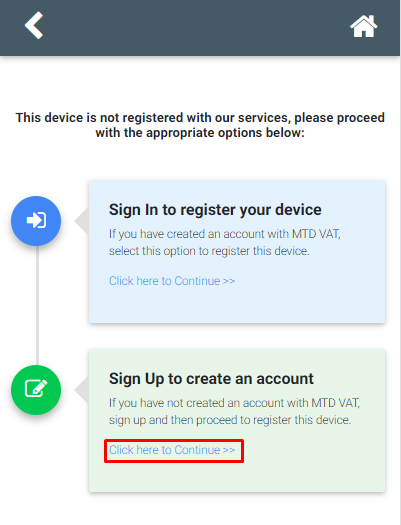
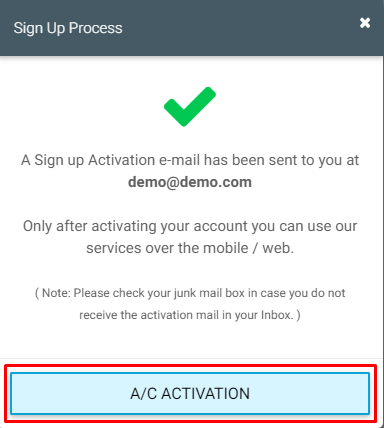
- Step 1: Click on 'Sign Up' link in the home page. You will receive an email containing an activation link.
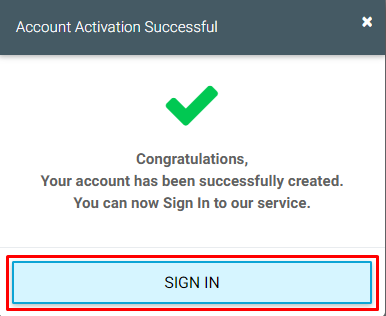
- Step 2: Click on the link within the email and set up the sign in details for your account.
- Step 3: After your account has been created, sign in to the account. Enter your sign in credentials (User ID, email, password and pattern word). Each time you sign in, you will be asked to enter these credentials.
3. MTD VAT Services
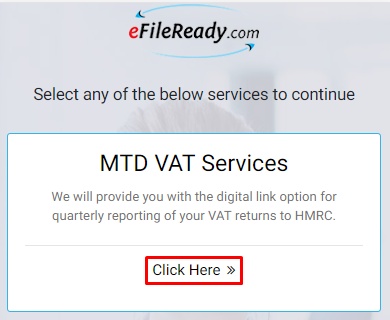
After successfully login to the application you will be directed to the MTD VAT service page. We will provide you with the digital link option for quarterly reporting of your VAT returns to HMRC.
4. MTD VAT return details
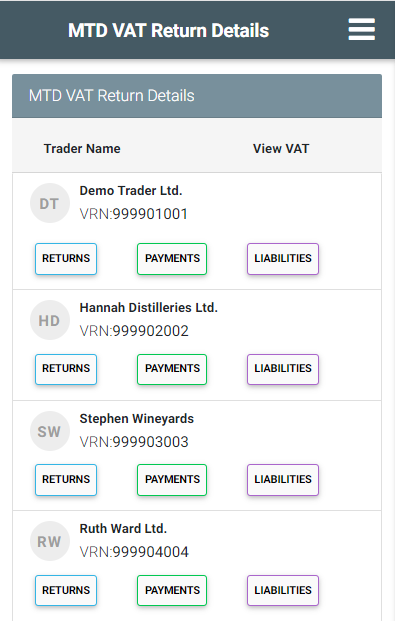
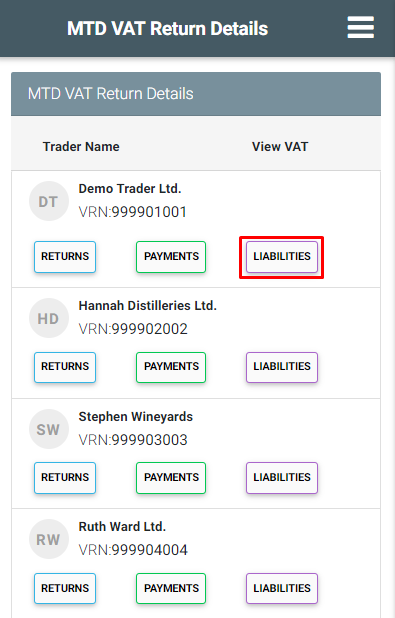
There are three different types of reports provided on the MTD VAT return detail page. When you select a particular report our MTD VAT mobile app will fetch your data from HMRC and that data is reflected in the reports section. You can also view/print the reports the application.
The mobile application provides youi with three different reports :
- VAT return report
- VAT payment report
- VAT liabilities report
4.1 VAT return details report
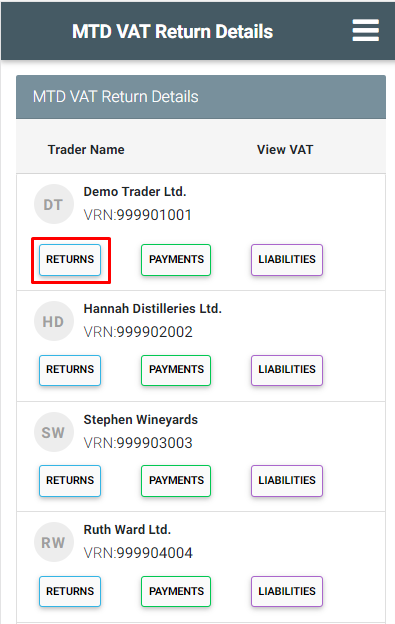
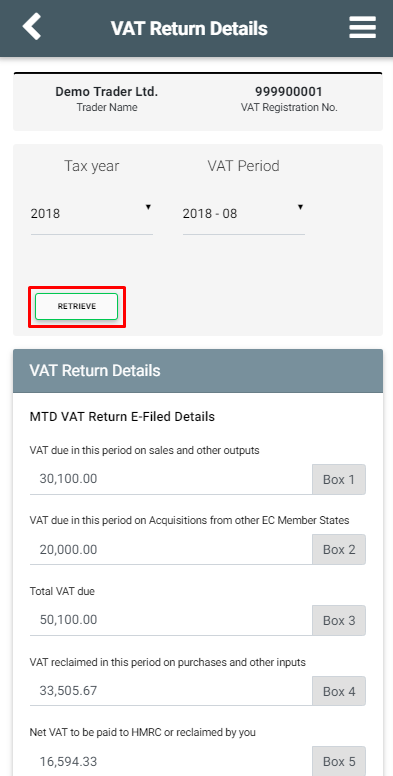
The VAT returns details reports provides the information about the amount you have paid to HMRC in the form of tax or reimbursement money from HMRC. Choose the tax year, VAT period and then click 'Retrieve'. Your MTD app will retrieve the return details from HMRC and will display it to you.
4.2 VAT payment details
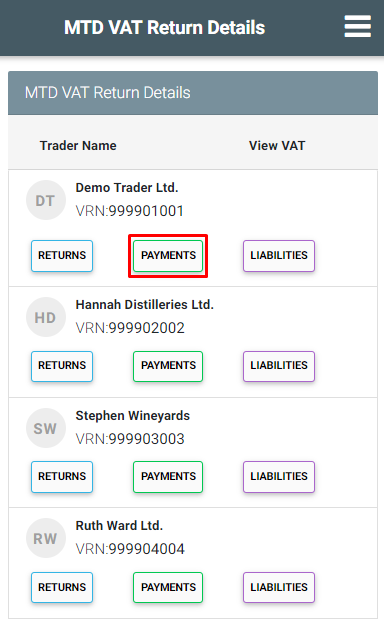
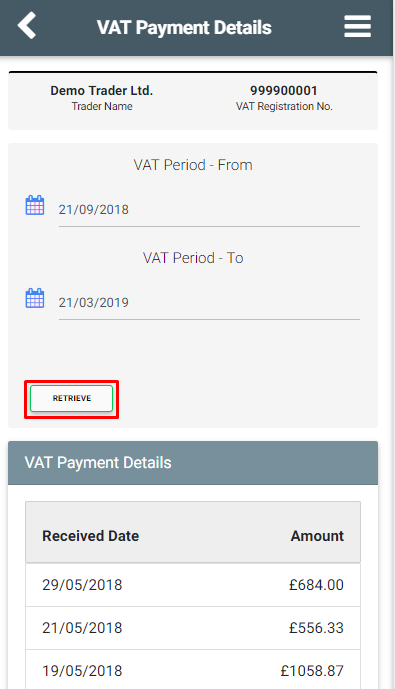
The VAT payment details report provides the payment information you have made to HMRC. Select the VAT period and click 'Retrieve'.Your MTD app fetches the payment details from HMRC and will display it to you.
4.3 VAT liabilities details
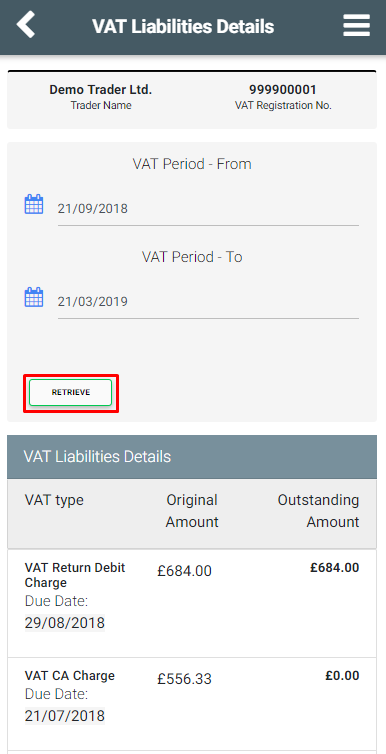
The money you owe to HMRC is termed as VAT liabilities.This report shows the original and outstanding amount for each VAT type. Select the VAT period and click 'Retrieve'.Your MTD app fetches the liabilities details from HMRC and will display it to you
5. Manage accounts
This section is gives you access to change the system administrator internet details.You should click on the manage account option in the homepage.
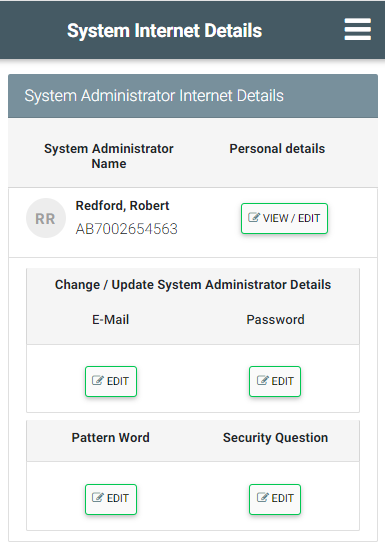
- To view and/or edit the System administrator's personal details
Please follow the Roadmap to view / edit additional system user details:
Manage Account -> personal details -> view/edit - To change the System administrator pattern word
Please follow the Roadmap to change the System administrator pattern word:
Manage Account -> pattern word -> edit -> Enter 12 digit alphanumeric pattern word -> continue. - To change the System administrator password
Please follow the Roadmap to change the System administrator password:
Manage Account->password edit->change system administrator password->continue - To change the system administrator e-mail id
Please follow the Roadmap to change the System administrator e-mail id :
Manage Account ->e-mail edit->change system administrator e-mail-> continue - To change the system administrator security question & answer
Click on the manage account option in the homepage. You can change the security question and answers you have entered into the application.You should give a final conformation of all details and then proceed.
The roadmap to edit the security question and answer is given below:
Manage Account -> security question edit-> system administration details-> continue